
Styling diagrams in vizzy
vizzy parses standard Mermaid styling inside mermaid fences. There is no new syntax
to learn.
flowchart LR a[Start] --> b[Work] --> c[Done] classDef default stroke:gray classDef ok fill:green,stroke:green,color:white class c ok style b stroke-width:3px,stroke-dasharray:5 4 b:::ok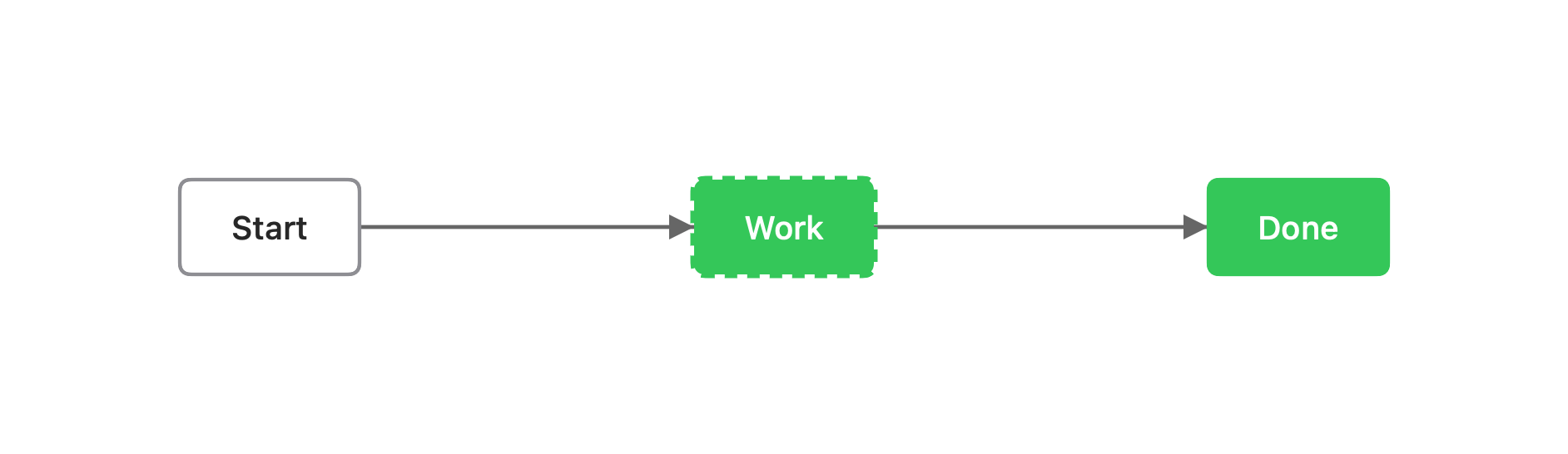
What you can write
Section titled “What you can write”style <id> <props>: style one node.classDef <name> <props>+class <id1>,<id2> <name>: define and apply a reusable class.classDef defaultstyles every node.id:::nameis shorthand forclass.
Props (Mermaid names)
Section titled “Props (Mermaid names)”| Prop | Effect |
|---|---|
fill | Background color |
stroke | Border color |
color | Text color |
stroke-width | Border width, e.g. 2px |
stroke-dasharray | Dashed border, e.g. 5 4 |
Color values are standard palette names (preferred) or #hex.
vizzy lint suggests replacing raw hex with a name or a vizzy.config token. Do not
invent custom tokens.
Merge order
Section titled “Merge order”When several rules apply to the same node, the later one wins:
classDef default < class / ::: < inline style < vizzy-fence overrideEdge styling with linkStyle
Section titled “Edge styling with linkStyle”linkStyle <i,j,… | default> stroke:…,stroke-width:…,stroke-dasharray:… styles flowchart
edges, selected by their source order (0-based indices, or default for all edges).
Colors resolve through the theme like node styles, and apply to both the line and its
arrowheads:
flowchart LR a[Start] --> b[Work] --> c[Done] linkStyle 0 stroke:gray,stroke-width:2px linkStyle default stroke:green,stroke-width:1pxLimits
Section titled “Limits”Mermaid styling only applies inside flowchart / graph fences. To color a node in a
sequence, class, ER, or state diagram, use a
vizzy-fence style override instead.